March 12, 2026
When you're crafting a post for LinkedIn, you get a generous 3,000 characters to work with on both personal profiles and company pages. That sounds like a lot of room to play with, right?
But here’s the catch, and it’s a big one: your audience will only see the first ~210 characters in their feed. Everything else gets tucked away behind a "See more..." link. That tiny window is your one shot to grab their attention.
As a community or event manager, knowing your way around LinkedIn's character limits isn't just a "nice to have"—it's fundamental. Each content type has its own set of rules, and they directly impact how your message is received. Think of this guide as your go-to resource for getting it right every time.
Mastering these limits helps you avoid those classic, frustrating mistakes. We've all seen a great post hook get cut off mid-thought or an event title that's too long to display correctly on mobile. This quick visual summary drives home the most important limits for your posts.
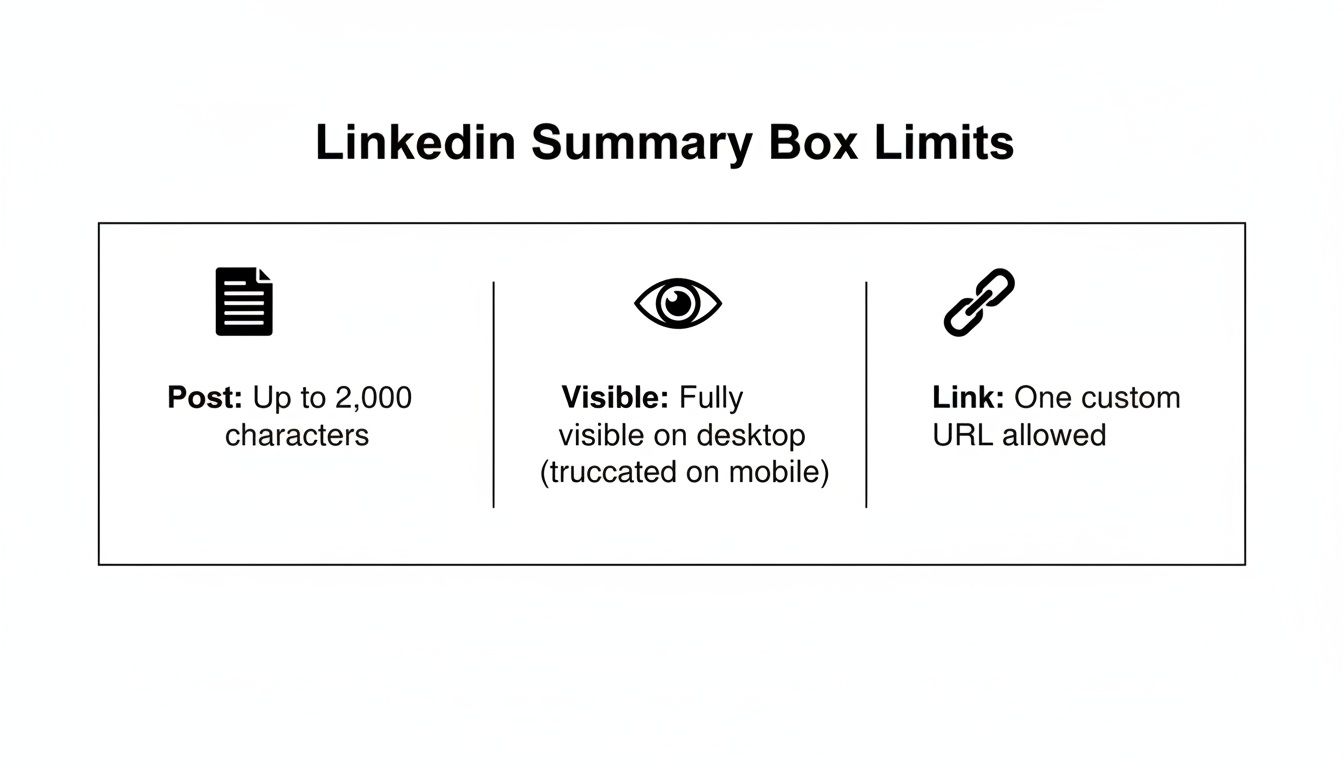
As the infographic shows, there's a huge difference between the total space you have and what people actually see at first glance. It really highlights the need to front-load your posts with compelling information.
Let's dive a little deeper. That 3,000-character limit for a standard post gives you about 400-500 words. It's plenty of space for sharing detailed project updates, breaking down complex topics, or telling a compelling story. But as we've covered, the real challenge is making those first ~210 characters count.
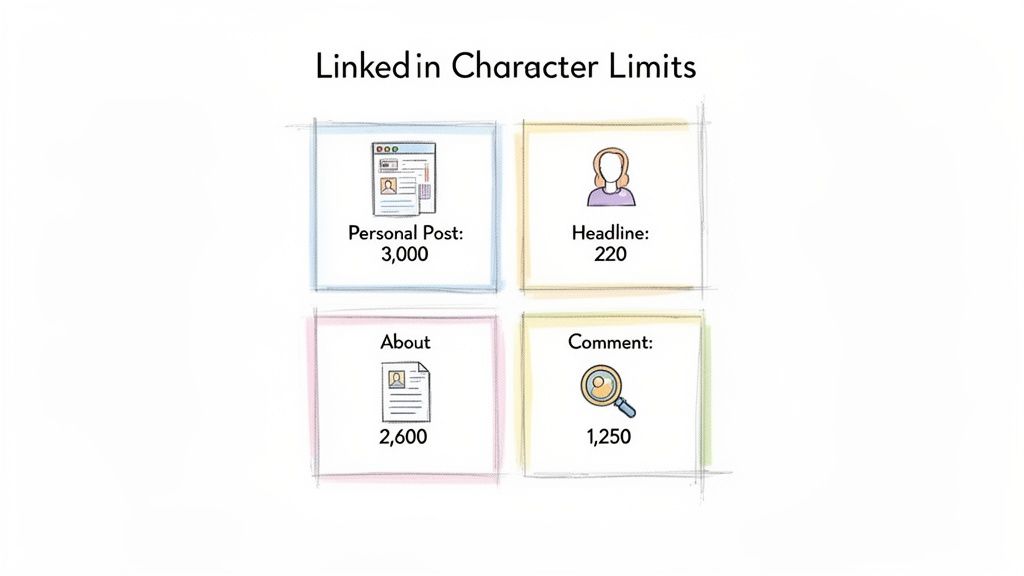
To help you get a better handle on things, here's a quick look at the most common limits you'll run into. Getting these numbers down is a key part of building effective social media best practices for your brand or community.
At first glance, the 3,000-character limit for a standard LinkedIn post seems massive. It's enough space for roughly 400-500 words, which effectively turns your update into a piece of micro-blogging. This lets you go way beyond simple announcements to share detailed analysis, tell a compelling story, or truly establish yourself as an expert.
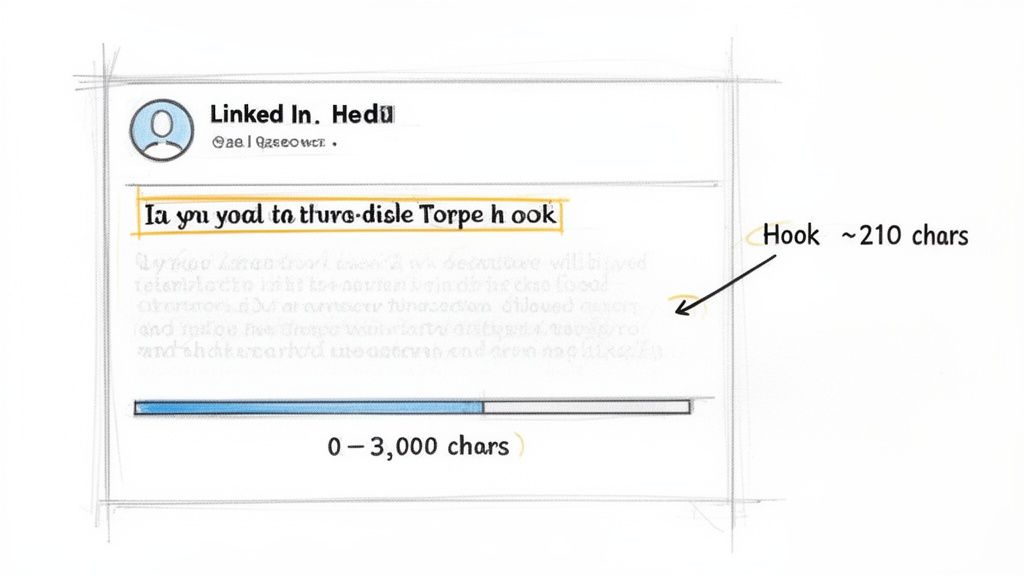
But here’s the catch: the most important number isn’t 3,000. It's ~210. That’s the approximate number of characters people see in their feed before the rest of your post gets hidden behind a "See more" link. Think of that tiny preview as your billboard—its only job is to get someone to stop scrolling and click. If those first few lines don't land, all the effort you put into the rest of the post is wasted.
This image shows you exactly how a post gets cut off in the feed, driving home just how vital that initial preview is.
So, mastering the post limit is really a two-part game: you have to write an irresistible hook for the preview, and then you have to structure the rest of the post so it’s easy to read.
Those first 210 characters need to spark curiosity or promise real value to earn that click. From what I’ve seen, a strong hook is the single biggest factor in whether a long-form post succeeds or flops.
A few approaches consistently work well:
The best stories on LinkedIn often follow a simple pattern: challenge → action → result → lesson learned. It’s a powerful framework because it’s both entertaining and educational, getting readers invested in your journey while giving them something they can apply themselves.
Once you’ve earned the "See more" click, your next challenge is to keep their attention. Nothing makes a reader bail faster than a giant wall of text. To make your 3,000-character posts readable, you have to make them scannable. This is a core part of learning how to create engaging content.
Break up your text using these simple formatting tricks:
When you combine a powerful hook with a clean, scannable format, you can use the full LinkedIn post limit to its maximum potential, delivering real value and sparking meaningful conversation.
Before anyone dives deep into your content, they’ll almost certainly land on your personal profile or company page. These are your foundational spaces on LinkedIn, and every character-limited field is a chance to make a fantastic first impression.
While these aren't the same as the LinkedIn post character limit, getting them right is just as important. Think of it this way: a great post brings people to your page, but a great page makes them want to stay.
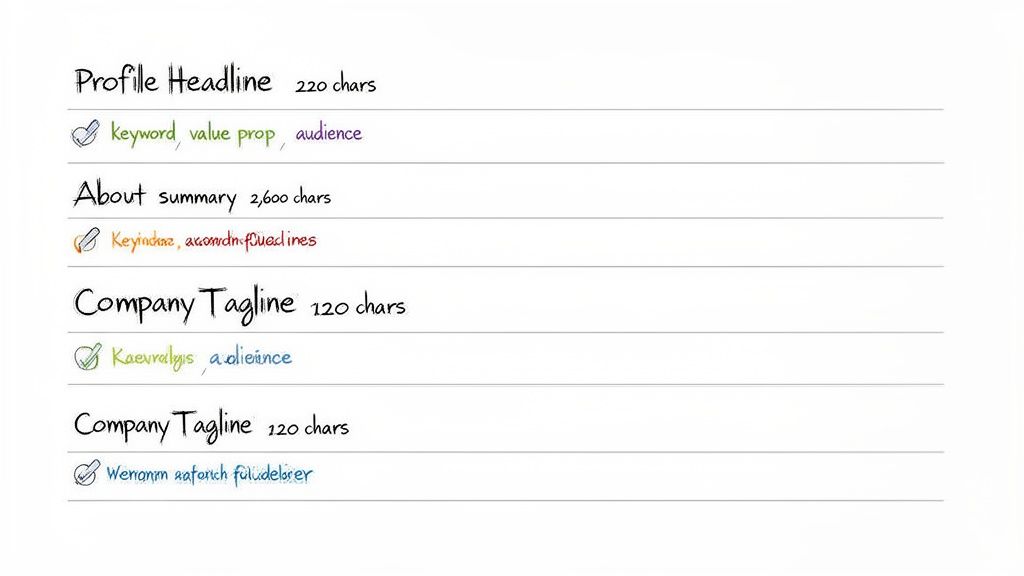
Your Professional Headline is arguably the most valuable real estate on your entire profile. You have just 220 characters to work with, and this text follows you everywhere—it appears next to your name in search results, comments, and posts.
For your business, the Company Page Tagline serves a similar purpose, giving you a crisp 120 characters to define your brand. This snappy statement sits right under your company name, making it one of the first things visitors see. It’s your chance to communicate your mission in a single glance.
I see so many people just list their job title in their headline. That’s a missed opportunity. A much better approach is a simple formula: "Role | Helping [Target Audience] Achieve [Result] with [Skill/Method]." It instantly transforms a boring title into a compelling value proposition.
This is where you get to tell your story. Your profile's About section gives you a roomy 2,600 characters to expand on who you are and what you offer. While it's tempting to write a full-blown essay, resist the urge. No one wants to read a giant wall of text.
The most effective About summaries are built for skimming. Use short paragraphs, whitespace, and bullet points to guide the reader’s eye and highlight the most important information.
A simple structure that works wonders is:
By treating the headline, tagline, and summary with intention, you build a cohesive and powerful brand identity that not only attracts the right audience but also gives them a clear reason to engage.
While a 3,000-character post gives you a good amount of room to talk, sometimes you need a much bigger canvas. For your most important, in-depth content, LinkedIn offers Articles and Newsletters. This format gives you a massive 125,000 characters for the body and a concise 100 characters for your headline.
Think of it this way: a post is a conversation starter in the fast-moving feed, but an article is a permanent, searchable piece of content that lives on your profile. It's the perfect home for your cornerstone guides, deep industry analysis, and the kind of thought leadership that builds real authority.
Knowing when to write a post versus an article is one of the most common hurdles people face. Getting it right is crucial, because putting article-level depth into a quick post often means your hard work gets buried in the feed.
A post is the right choice when your content is:
An article is your best bet when the content is:
Your articles build a library of expertise, while your posts fuel the daily conversation. Trying to cram a definitive guide into a standard post is like trying to summarize a movie in one sentence. For content that needs room to breathe, it's worth learning how to write LinkedIn articles that truly showcase your knowledge.
LinkedIn Newsletters are a brilliant feature that takes your articles to the next level. Instead of just publishing a one-off piece, you can package your articles into a newsletter that people can subscribe to.
Every time you publish a new edition, your subscribers get a notification. This is a game-changer because it turns casual readers into a dedicated audience you can reach directly. It’s also an excellent foundation for exploring different forms of content monetization right on the platform.
Your own posts are just half the story on LinkedIn. The other, arguably more important, half is how you show up and interact with everyone else. This is where community management happens, and knowing the character limits for comments and messages is your secret weapon for building real relationships.
While everyone obsesses over the main post character count, the real conversations are happening in the comments. LinkedIn gives you a surprisingly generous 1,250 characters for each comment. That's more than enough room to go far beyond a simple "Great post!" and offer a response that actually adds value.
Think of the comment section as your stage. It's a mini-forum where you can demonstrate your expertise and prove you're a helpful, engaged member of your industry. A thoughtful comment doesn't just get a nod from the original poster; it gets seen by every single person who scrolls through the thread.
Instead of just dropping a quick reply, use that space to your advantage:
This is the core of effective social media community management—turning passive scrolling into active, meaningful participation.
From my own experience, I can tell you that a single, well-written comment can drive more high-quality profile views and connection requests than a dozen low-engagement posts. It shows you're in the game, not just broadcasting from the sidelines.
When you decide to take a conversation private, the rules change a bit. Direct messages are your tool for networking, outreach, and one-on-one connection. Here, you get 1,900 characters for a standard message. If you're using InMail, the limit is often around 700 characters, though this can vary.
Even with all that space, get to the point. No one wants to read a novel in their inbox. A rambling message is a fast track to being ignored. Your goal is to be personal, direct, and respectful of their time. A solid approach is to briefly introduce yourself, mention a specific point of connection (like a shared group or a post you both commented on), and then state your reason for reaching out. This is how you build bridges and strengthen your network, one thoughtful interaction at a time.
If you're running LinkedIn Events or putting budget behind ads, you know that the platform's rules can make or break your campaign. It's not just about what you say, but how much space you have to say it. Getting these character counts wrong isn't just a formatting mistake; it's a direct hit to your event registrations and campaign ROI.
A brilliant ad or event description that gets cut off mid-sentence is dead on arrival. To get the most out of your efforts, you have to make every single character count.
LinkedIn Events are fantastic for building community, but their setup fields are tight. A sloppy, truncated title or a description that cuts off mid-thought looks unprofessional and, frankly, can confuse people you're trying to attract.
Here's the breakdown of what you're working with:
A pro tip for your event description: don't just list the facts. Sell the experience. I always tell my clients to front-load the most compelling benefit in the first two sentences. After that, use the rest of the space to answer the "what, who, and why." This way, even people who just skim the top get the main reason they should sign up.
When real money is on the line, every character feels like an investment. The character limits for LinkedIn’s ad formats are strict for a reason—they're built for a fast-moving feed. You have to be quick, direct, and persuasive.
The character limits you can see are only half the story. Some of the most important limits on LinkedIn are the ones working behind the scenes, impacting how easily your content is found and who can access it.
A perfect example is image alt-text. You have 300 characters here, and it’s a space far too many people ignore. This isn't just about SEO; it's a critical accessibility feature that allows screen readers to describe your images to visually impaired users. At the same time, it gives LinkedIn’s algorithm—and Google's—the context needed to understand what your visual content is all about.
Speaking of discovery, let's talk about hashtags. While there isn't a hard character limit, there is a clear point of diminishing returns. All the data points to the same conclusion: 3 to 5 highly relevant hashtags is the sweet spot. Anything more starts to look spammy to both the algorithm and your readers, which can actually hurt your post's reach.
For those of you publishing on the platform, your LinkedIn Article URL is another small detail with a big impact. You get to customize it, so don't just accept the default. Keep the URL slug short and pack it with keywords that describe your piece. A clean, descriptive URL is much easier for people to share and for search engines to index properly, giving your article a longer shelf life.
Think of these technical elements as the behind-the-scenes crew for your content. Great alt-text, strategic hashtags, and clean URLs work together to ensure your message is not only delivered but also properly indexed, accessible, and discoverable long after you hit publish.
Getting these seemingly minor details right is what separates good content from great content. It’s how you build a technically sound presence on the platform, making sure your work actually gets in front of the people who need to see it.
Even after you've memorized the main character counts, a few tricky questions always seem to pop up. When you're managing a community, the last thing you want is for a perfectly crafted message to get butchered by an unexpected technicality. Let's clear up some of the most common points of confusion.
They absolutely do, but there's a catch. Every single link you drop into a post—no matter how long or short it is originally—gets standardized by LinkedIn's lnkd.in shortener.
This means any URL will always take up a consistent 23 characters of your post's real estate. It’s a handy feature, but you have to account for it. When you’re bumping up against that 3,000-character ceiling, those 23 characters for your call-to-action link definitely matter.
Getting someone to click "See more" is only half the battle. If they're met with a huge wall of text, you'll lose them instantly. The key is to make your content scannable.
People are busy. A post that looks easy to read is far more likely to get read. When you make your content scannable, you're respecting your reader's time, and they'll thank you for it with higher engagement.
The character count is the same for everyone, regardless of the language you're writing in. Where it gets a little fuzzy is with emojis. Most standard emojis count as just one character.
However, some of the more complex ones—especially those with skin tone modifiers or newer, multi-part symbols—can sometimes count as two or even more characters. If you're pushing the character limit and your post is heavy on emojis, it's always a good idea to run it through a character counter tool just to be safe before you hit publish.
Managing a professional community and all its content can be a major challenge. GroupOS provides an all-in-one platform to streamline your memberships, events, and communications, all under your own brand. Learn more and start your free trial at https://groupos.com.







